
Organise the agency your way.
Every agency sorts its world differently: "New faces", "Paris-based", "VIP client", "Needs visa". Create your own labels and apply them to talent, clients, contacts, packages and bookings.
7-day free trial · Cancel anytime
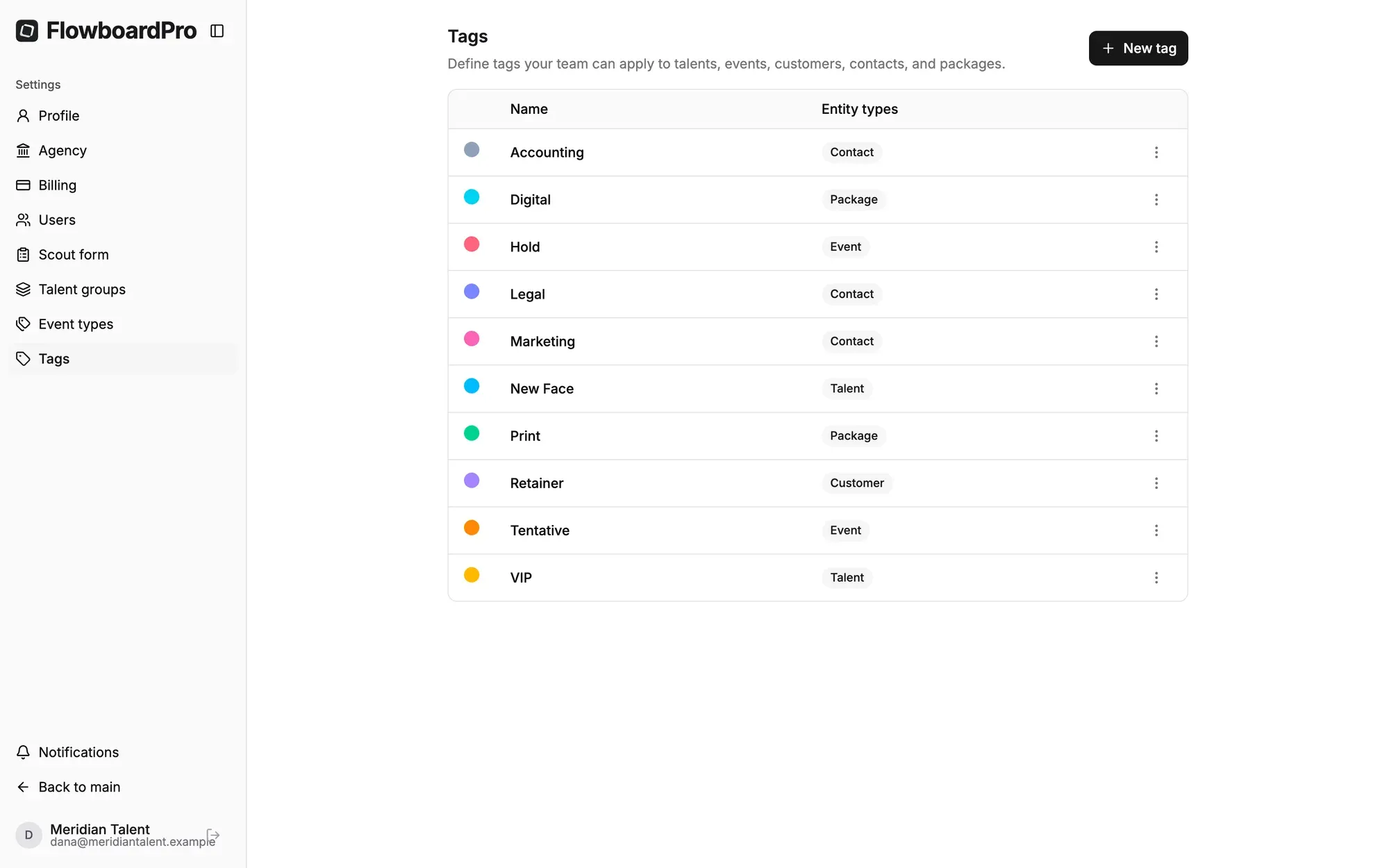
Tags you define
Fixed categories never match how an agency actually thinks. FlowboardPro lets you create your own tags, give each a colour, and decide which kinds of record it applies to. A “VIP” tag can apply only to clients, and a “Needs visa” tag only to talent, so every tag picker shows only the tags that make sense for that record.
- Your names, your colours. Choose from 18 colours so tags stand out at a glance.
- Scoped to the right records: talent, clients, contacts, packages, bookings, or any mix.
- Clean pickers. Each form shows only the tags that apply to it.
Apply anywhere
Tags go on from the same form you already use to edit a record, so there’s no separate step. They then show on list views, so you can scan the roster, the client list or your packages and see the labels without opening each record.
- Tag from any record’s form.
- Visible on list views, colour-coded.
Filter by tag
Tags are most useful for cutting a long list down to what you need right now: the new faces for a test-shoot brief, the VIP clients for the Christmas list, the bookings for one campaign. Filter the talent list, client list, packages and the calendar by a tag. On the talent list you can combine it with a group filter.
- Filter talent, clients, packages and the calendar by tag.
- Combine with groups on the talent list, for example “Models” tagged “New faces”.
More from FlowboardPro
All featuresStart running your agency with FlowboardPro
Bring your roster, packages, bookings and billing into one workspace built for model and talent agencies.
7-day free trial · Credit card required · Migration help available